Data Export
Everything you produce in EzuneDB — result sets, charts, whole conversations — exports with one click.
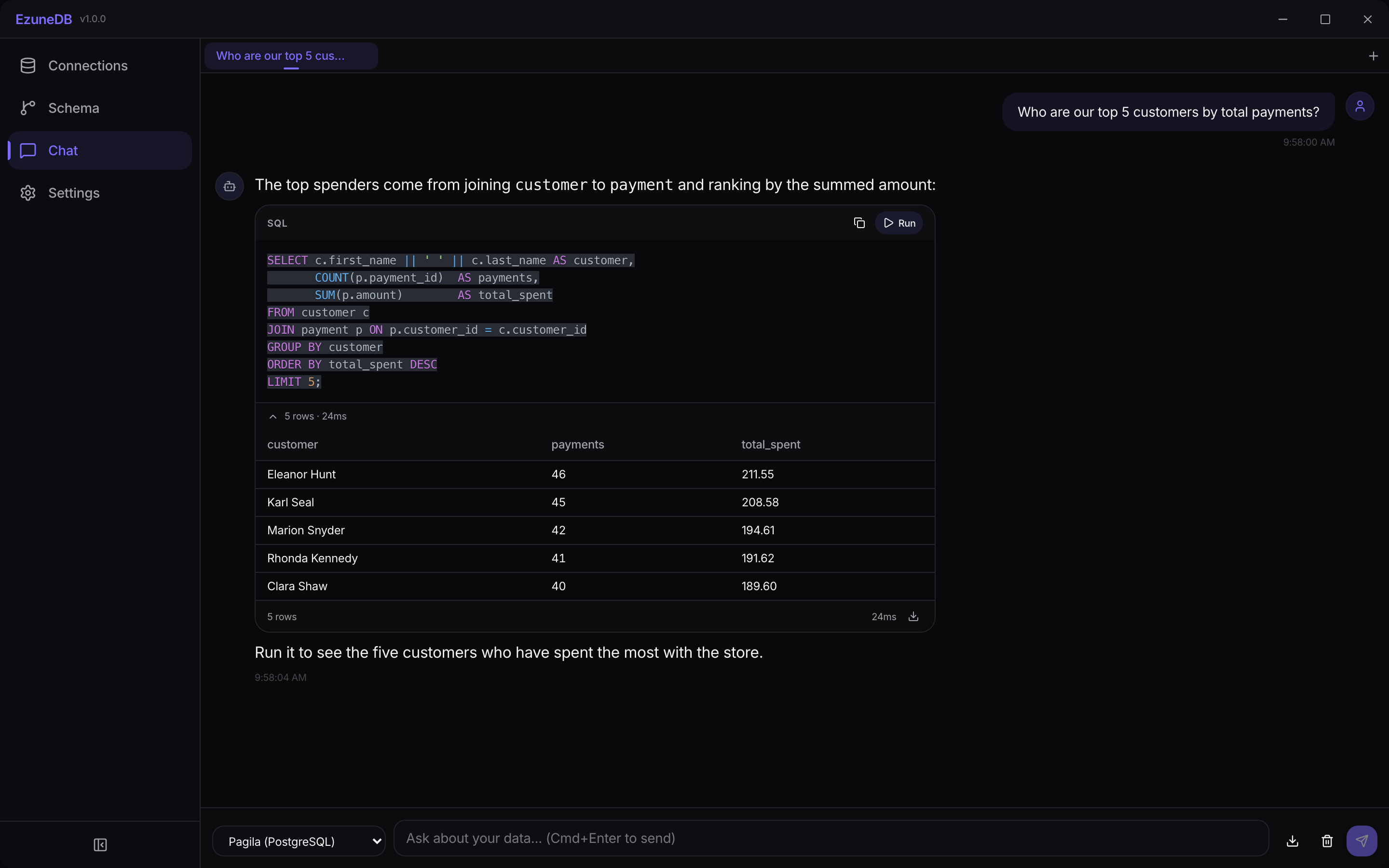
Export lives where the data is — on the result grid and in the chat toolbar
1Export query results as CSV
Every result grid has a download icon in its footer. Click it and the full result set — not just the visible rows — saves as a CSV ready for Excel, Sheets, or your next pipeline step.
2Export a whole conversation
The download icon next to the chat input saves the entire conversation as Markdown — questions, explanations, and SQL blocks included. Perfect for sharing an analysis in a PR, wiki, or ticket with the reasoning intact.
3Export charts
Charts have their own download button in the chart toolbar that saves the visualization as an image — see the Visualizing Data guide for the full chart workflow.
💡 Pro Tip
Chat exports keep the SQL as fenced code blocks, so pasting the Markdown into GitHub or Notion gives you syntax highlighting for free.