Understanding the Interface
EzuneDB keeps everything in one window — four sidebar views, multi-tab chat, and a visual schema explorer.
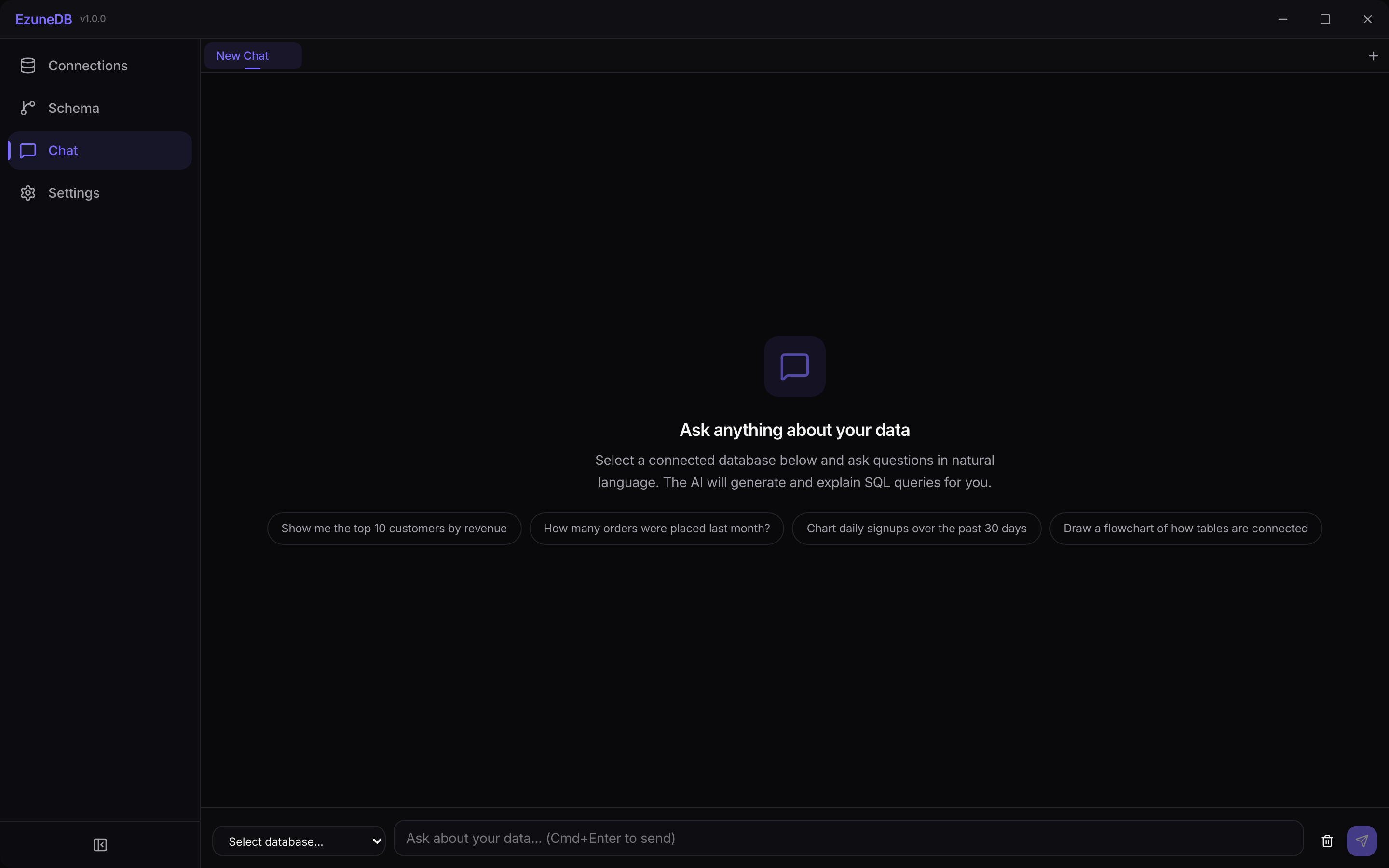
One window, four views — Connections, Schema, Chat, and Settings
1The sidebar
The left sidebar switches between the four main views. Connections manages your databases, Schema explores their structure, Chat is where you ask questions, and Settings holds AI, theme, and profile options. Collapse the sidebar with the toggle at the bottom to maximize working space.
2Chat tabs
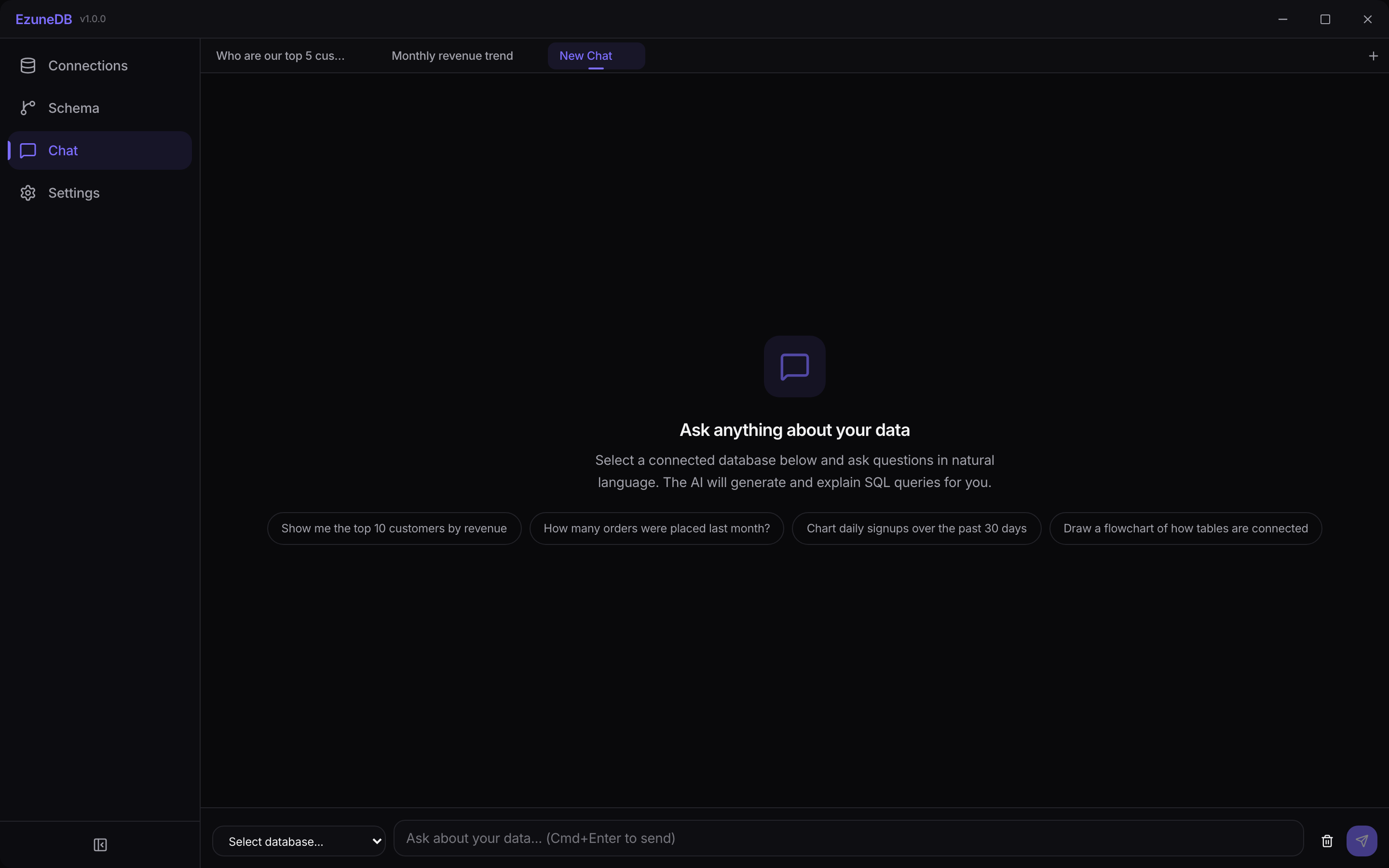
Chat is multi-tab, like a browser: each tab keeps its own conversation and its own database selection, so you can compare investigations side by side.
- Cmd/Ctrl+T opens a new tab
- Cmd/Ctrl+W closes the current one
- Tabs are titled automatically from your first question
3The schema explorer
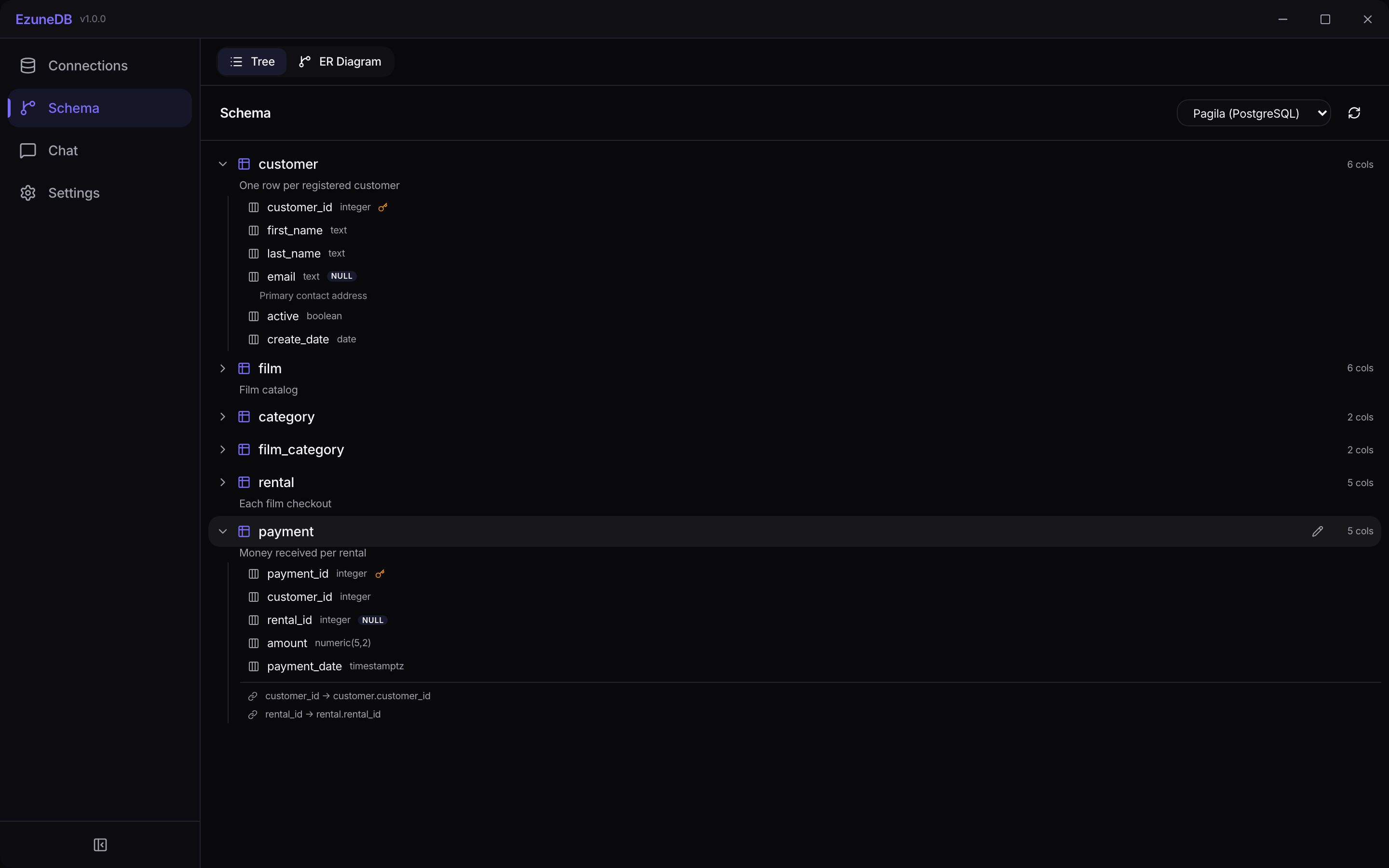
The Schema view shows connected databases two ways. Tree mode lists every table with its columns, types, keys, and indexes — and lets you annotate tables and columns with descriptions the AI will use.
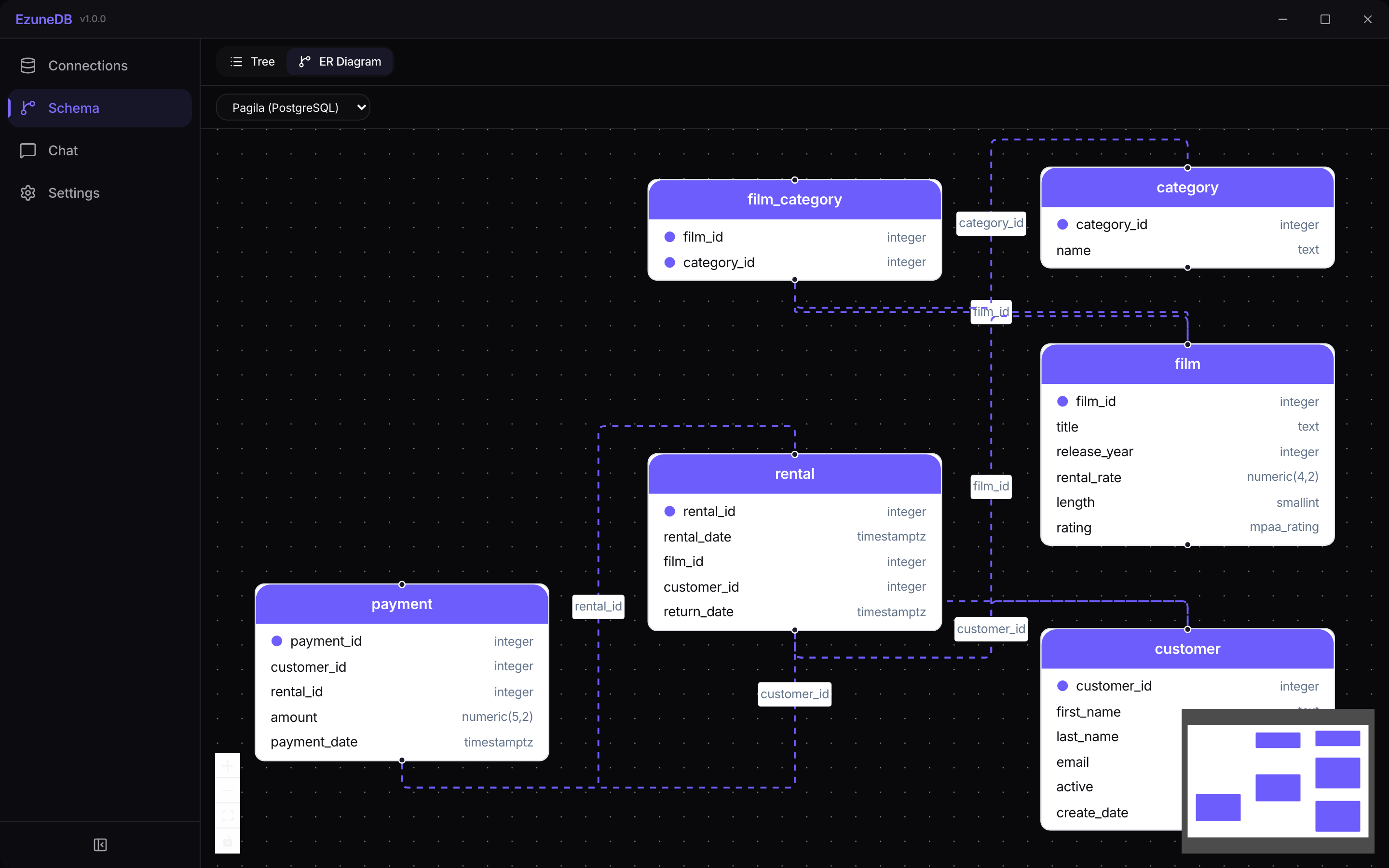
ER Diagram mode draws the same schema as an interactive entity-relationship diagram — foreign keys become edges, so you can see at a glance how everything joins together.
💡 Pro Tip
Table and column descriptions you add in the schema tree are fed to the AI as context — a minute of annotation noticeably improves generated SQL on gnarly schemas.